Managing customers without a proper system is like trying to run a race with your eyes closed. You might get somewhere, but it won’t be pretty. That’s exactly where CRM software steps in and changes the game completely.
CRM software, short for Customer Relationship Management software, is a digital tool that helps businesses manage interactions with current and potential customers. Whether you’re running a startup or a large enterprise, CRM software gives you a centralized place to store customer data, track communication, manage sales pipelines, and automate everyday tasks.
But here’s the real question: not all CRM tools are created equal. What makes one CRM software stand out from another? What features truly matter when you’re trying to grow your business and keep your customers happy? In this article, we’re going to break down exactly that in plain, simple language anyone can understand.
So if you’ve been wondering what iRM software is, or you’re already using one but not sure you’re getting the most out of it, keep reading. This guide is for you.
What Is CRM Software and How Does It Work?
Before we dive into features, let’s quickly answer the basics. What is CRM software and how does it work?
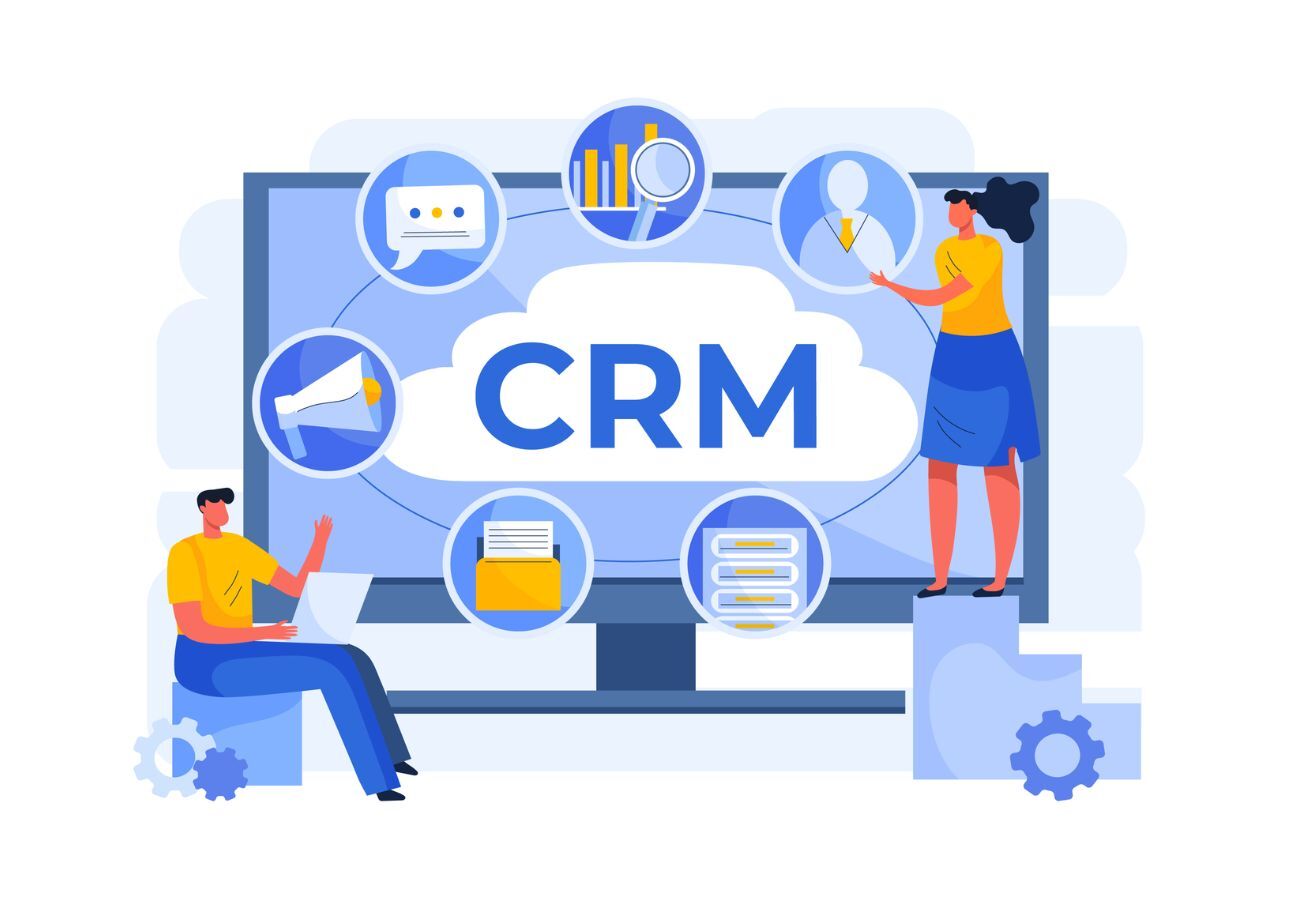
At its core, CRM software is a platform that collects and organizes all your customer data in one place. Think of it as a supercharged address book combined with a task manager, email tracker, sales dashboard, and reporting tool all rolled into one.
Here’s how it typically works:
- A customer visits your website or contacts your team.
- The CRM software captures their details, name, email, purchase history, and past conversations.
- Your sales or support team can see this data instantly and take action.
- The CRM also sends automated follow-ups, reminders, or marketing emails on your behalf.
- Managers can track team performance through reports and dashboards.
What is CRM software used for? Honestly, the list is long: sales management, customer support, marketing campaigns, lead tracking, e-commerce order management, and even project coordination. It’s a versatile tool that touches almost every part of your business.
Now, let’s explore the features that make CRM software truly effective.
Top Features That Make CRM Software Truly Effective
1. A Clean and User-Friendly Interface That Anyone Can Navigate
The best CRM software in the world means nothing if your team refuses to use it because it’s too complicated. One of the most underrated CRM software features is a simple, intuitive interface.
A good CRM should feel natural to use from day one. Your sales reps, support agents, and marketing team should be able to jump in without weeks of training.
Look for:
- A clean dashboard with your most important data front and center
- Easy navigation between contacts, deals, and reports
- Customizable views so each team member sees what matters to them
- Mobile-friendly design for on-the-go access
If your team dreads logging in every morning, that’s a red flag. The right CRM should make their workday easier, not harder.
2. Contact and Lead Management That Keeps Everything Organized
This is the foundation of any effective CRM software. Every customer interaction, every email, every phone call should all live in one organized place.
Good contact management means:
- Storing complete customer profiles with contact details, job titles, company info, and communication history
- Tracking leads from the first touchpoint all the way to the closed deal
- Segmenting contacts by industry, location, purchase history, or any custom field you need
- Automatically updating contact records when new interactions happen
CRM software for sales teams absolutely depends on this feature. When a sales rep picks up the phone, they should know the customer’s entire history in seconds, not spend five minutes digging through emails.
3. Sales Pipeline Management That Gives You Full Visibility
One of the biggest reasons businesses lose deals is that they don’t know where each deal stands. CRM software fixes this with a visual sales pipeline.
A solid sales pipeline feature lets you:
- See all your deals at a glance from first contact to closing
- Drag and drop deals between stages as they progress
- Set reminders for follow-ups so nothing falls through the cracks
- Identify where deals are getting stuck so you can fix the problem
- Forecast revenue based on your pipeline data
For sales teams using CRM software, this feature alone can dramatically increase close rates. When reps know exactly what needs attention, they focus on the right things at the right time.
4. CRM Software with Automation That Saves Hours Every Week
If your team is still manually sending follow-up emails, updating spreadsheets, or copying data between tools, you’re wasting serious time. CRM software with automation takes care of the repetitive stuff so your team can focus on what actually matters.
Automation features to look for:
- Automatic email follow-ups after a customer fills out a form or makes a purchase
- Lead assignment rules that automatically route new leads to the right rep
- Task creation triggers when a deal moves to a new stage
- Automated reminders for upcoming meetings, renewals, or callbacks
- Workflow automation that connects actions across your entire sales and marketing process
CRM software with automation isn’t just a nice-to-have anymore; it’s a must-have. Businesses that automate their CRM processes consistently report higher productivity and fewer missed opportunities.
5. CRM Software Integration Tools That Connect Your Tech Stack
Your CRM doesn’t exist in a vacuum. It needs to talk to your email, your marketing tools, your accounting software, your e-commerce platform, and more. That’s why CRM software integration tools are absolutely critical.
The best CRM software connects seamlessly with:
- Email platforms like Gmail and Outlook
- Marketing tools like Mailchimp or HubSpot
- E-commerce platforms like Shopify or WooCommerce
- Payment gateways and invoicing tools
- Customer support software like Zendesk or Freshdesk
- Calendar and scheduling apps
- Social media platforms for lead capture
Without CRM software integration tools, your team ends up switching between 10 different apps all day, and data falls through the cracks. A well-integrated CRM keeps everything in sync automatically.
6. Cloud CRM Software Solutions for Accessibility and Security
Gone are the days when your software lived on a single office computer. Today, the best businesses run on cloud CRM software,l for good reason.
Cloud-based CRM offers:
- Access from anywhere, office, home, or on the road
- Automatic updates with no manual installation needed
- Better data security with encryption and regular backups
- Easy scaling as your business grows
- Lower upfront costs compared to on-premise software
Cloud CRM software solutions are especially important for remote or distributed teams. Everyone has access to the same real-time data, no matter where they’re working from.
7. Mobile CRM Software for Teams That Are Always Moving
Your sales team doesn’t spend all day at a desk. They’re out meeting clients, attending events, and visiting offices. That’s why mobile CRM software is a game-changer.
A great mobile CRM lets your team:
- Access customer data from their phone or tablet
- Log calls and meetings on the go
- Check their pipeline and tasks from anywhere
- Receive real-time notifications about hot leads
- Update deal stages right after a client meeting
Mobile CRM software keeps your team connected and productive, whether they’re in the boardroom or on the road.
8. Powerful Reporting and Analytics That Drive Smart Decisions
Data without insights is just noise. Effective CRM software turns your customer data into clear, actionable reports that help you make better decisions.
Key reporting features include:
- Sales performance dashboards showing revenue, targets, and rep activity
- Lead source analysis to see where your best customers come from
- Customer lifetime value tracking
- Conversion rate reporting by deal stage
- Custom reports that show exactly the metrics your business cares about
When you understand what’s working and what isn’t, you can make faster, smarter decisions. That’s the real power behind good CRM software analytics.
9. CRM Software for Customer Support That Keeps Clients Happy
A CRM isn’t just for sales; it’s a powerful tool for customer support, too. CRM software for customer support gives your support team the full picture of every customer they’re helping.
Support-focused CRM features include:
- A complete history of every interaction, so agents aren’t asking customers to repeat themselves
- Ticket management and case tracking
- SLA monitoring to make sure issues are resolved on time
- Customer satisfaction scoring and feedback collection
- Knowledge base integration for faster resolution
When support teams have the right information at their fingertips, customer satisfaction goes up, and customer churn goes down.
10. CRM Software for Marketing That Drives Revenue
Marketing and sales go hand in hand. The best CRM software for marketing helps you run targeted campaigns, nurture leads, and turn prospects into paying customers.
Marketing features to look for:
- Email marketing campaigns directly from the CRM
- Lead scoring to prioritize your hottest prospects
- Campaign performance tracking and ROI measurement
- Customer segmentation for personalized messaging
- Landing page and form integration for lead capture
CRM software for marketing ensures that your marketing team and sales team are always aligned, working toward the same goals with the same data.
CRM Software for Small Business
If you’re a small business owner, you might be thinking, “Do I really need all these features?” The answer is: you need the right features, not all of them.
CRM software for small business should be:
- Affordable with transparent CRM software pricing and no hidden fees
- Easy to set up without needing a dedicated IT team
- Scalable so it grows with your business
- Simple enough for a small team to use without extensive training
Some of the best CRM software options for small businesses include Zoho CRM, HubSpot CRM (free tier), and Freshsales, all offering solid features without the enterprise-level complexity or cost.
When comparing CRMs, small businesses should focus on value for money, ease of use, and the features that match their workflow.
CRM Software for E-Commerce: A Special Use Case
If you’re running an online store, you need a CRM that speaks the language of e-commerce. CRM software for e-commerce goes beyond basic contact management; it connects with your store data to give you a 360-degree view of every customer.
E-commerce CRM features include:
- Order history and purchase behavior tracking
- Abandoned cart follow-up automation
- Product recommendation triggers based on past purchases
- Customer loyalty and retention tracking
- Integration with platforms like Shopify, Magento, and WooCommerce
CRM software for e-commerce turns one-time buyers into loyal, repeat customers, and that’s where the real money is.
Open Source CRM Software: Is It Right for You?
Open source CRM software is an option worth considering, especially for businesses with technical resources and a need for deep customization.
Popular open source options include SuiteCRM, Odoo, and EspoCRM. The benefits include:
- No licensing fees
- Full access to the source code for custom development
- Strong community support
- Complete data ownership
However, open-source CRM software also comes with challenges: you’ll need technical expertise to set it up, maintain it, and troubleshoot issues. For most small to medium businesses, a managed cloud CRM is a better fit.
CRM Software Trends to Watch in 2026
The world of CRM is evolving fast. Here are some of the biggest CRM software trends shaping the industry right now:
AI-powered insights: CRMs are using artificial intelligence to predict customer behavior, score leads, and recommend next best actions
Conversational CRM: integration with WhatsApp, chatbots, and live chat for real-time customer engagement
Hyper-personalization: using data to deliver highly personalized experiences at scale
Voice-activated CRM: reps can update records and pull data using voice commands
Unified customer data platforms: CRMs merging with CDPs for even deeper customer intelligence
Staying ahead of CRM software trends means choosing a platform that’s actively investing in innovation, not one that’s standing still.
Benefits of CRM Software: Why It’s Worth Every Rupee
Still on the fence? Let’s talk about the real benefits of CRM software for your business:
- Increased sales spend less time on admin and more time selling
- Better customer retention, personalized follow-ups keep customers coming back
- Improved team collaboration, everyone has access to the same information
- Faster response times, automation handles routine tasks instantly
- Clearer business insights, data-driven decisions replace gut feelings
- Reduced revenue leakage, no more lost leads or missed follow-ups
- Scalability: your CRM grows as your business grows
The benefits of CRM software aren’t just theoretical; they show up directly in your revenue, customer satisfaction scores, and team productivity.
CRM Software Implementation Guide: Getting Started the Right Way
Even the best CRM software fails if it’s implemented poorly. Here’s a quick CRM software implementation guide to set you up for success:
Define your goals: What do you want the CRM to achieve? More sales? Better support? Fewer manual tasks? Start with clear goals.
Choose the right tool: Use a CRM software comparison to evaluate options based on your team size, industry, and budget.
Clean your data: Import only accurate, up-to-date customer data into your new CRM.
Train your team: Adoption is everything. Invest in proper training so everyone knows how to use the system.
Set up automations: Configure your workflows, email automations, and lead routing rules from day one.
Step 6: Review and optimize: Check your reports regularly and keep improving your processes based on real data.
A proper CRM software implementation guide like this turns a software investment into a genuine business transformation.
Best CRM Software in 2026: What to Consider
The best CRM software 2026 isn’t one-size-fits-all. The right choice depends on your business size, industry, budget, and specific needs.
When evaluating options in a CRM software comparison, consider:
- Feature set vs. your actual needs: Don’t pay for features you’ll never use
- CRM software pricing looks for transparent plans with no surprise fees
- Ease of use: your team actually needs to enjoy using it
- Integration capabilities: Does it connect with your existing tools?
- Customer support is there to help when you need it.
- Scalability: Can it handle your growth over the next few years?
Some of the most well-regarded options include Salesforce (enterprise), HubSpot (mid-market and SMBs), Zoho CRM (cost-effective with great features), Pipedrive (sales-focused), and Freshsales (great for support-heavy teams).
How Prismatic Technologies Can Help You Choose and Implement the Right CRM Software
Finding the right CRM software is one thing. Getting it properly set up, integrated, and running smoothly for your team is another challenge entirely. That’s where Prismatic Technologies comes in.
We Help You Find the Perfect CRM for Your Business
Prismatic Technologies works with businesses of all sizes, from growing startups to established enterprises, to identify the exact CRM software that fits their unique needs, budget, and goals. No cookie-cutter recommendations. Just honest, expert guidance.
We Handle the Entire CRM Implementation for You
From data migration to workflow automation setup, our team takes care of every detail. We follow a proven CRM software implementation guide to ensure our system is configured correctly from day one, so you see results fast.
We Connect Your CRM with All Your Existing Tools
Our experts specialize in CRM software integration, connecting your CRM to your email, marketing platforms, e-commerce store, and more. No more data silos. No more switching between a dozen different apps.
We Train Your Team So They Actually Use the CRM
A CRM only works if your team uses it. Prismatic Technologies provides hands-on training tailored to your team’s needs, ensuring everyone from sales reps to managers knows exactly how to get the most from the system.
We Offer Ongoing Support So You Never Feel Stuck
Questions come up. Things change. Prismatic Technologies is here for the long haul, offering ongoing support, system updates, and optimization recommendations as your business grows and evolves.
Whether you’re exploring cloud CRM software solutions for the first time or looking to upgrade your existing system, Prismatic Technologies has the expertise to make it happen smoothly, quickly, and without a headache.
FAQs
Q1: What is CRM software in simple terms?
CRM software is a digital tool that helps businesses manage their customer relationships. It stores customer information, tracks communication, automates follow-ups, and provides reports all in one place.
Q2: What is CRM software used for?
CRM software is used to manage sales pipelines, track customer interactions, run marketing campaigns, handle customer support, automate repetitive tasks, and generate business reports.
Q3: How many types of CRM software are there?
There are primarily three types of CRM software: Operational CRM (focused on automation of sales, marketing, and support), Analytical CRM (focused on data analysis and reporting), and Collaborative CRM (focused on sharing customer information across departments). Some CRMs combine all three.
Q4: What is CRM software development?
CRM software development refers to the process of building a custom CRM system from scratch or customizing an existing platform to meet specific business requirements. It involves designing databases, building user interfaces, and integrating with other tools.
Q5: Is cloud CRM software secure?
Yes, reputable cloud CRM software solutions use enterprise-grade encryption, regular backups, and strict access controls to keep your data safe. In many cases, cloud CRM is more secure than storing data on local servers.
Q6: What is the best CRM software for a small business?
Some of the best CRM software options for small businesses include HubSpot CRM (great free tier), Zoho CRM (affordable with rich features), and Freshsales (excellent for sales-driven small teams). The best choice depends on your specific needs and budget.
Q7: How much does CRM software cost?
CRM software pricing varies widely. Many tools offer free plans for small teams. Paid plans typically range from $12 to $300+ per user per month, depending on features and the size of your business. Enterprise solutions can be significantly more expensive.
Q8: Can CRM software help with e-commerce?
Absolutely. CRM software for e-commerce helps online stores track purchase history, automate abandoned cart emails, personalize marketing, and improve customer retention, all of which directly increase revenue.