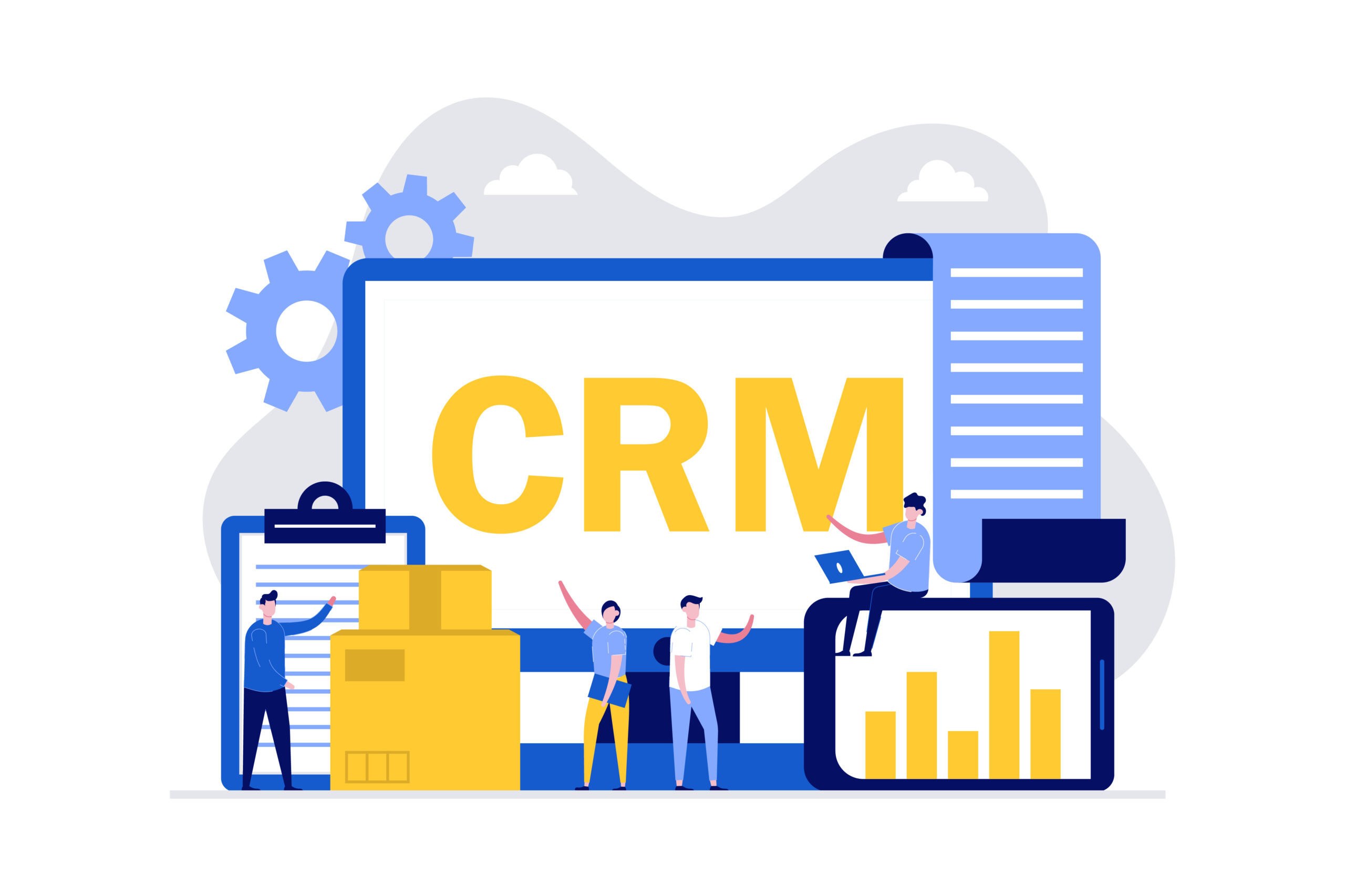
Running a small business often means wearing every hat at once. Sales, marketing, customer support, follow ups, invoicing, all of it on your shoulders. At some point, sticky notes and spreadsheets stop working. Things slip through the cracks. Leads go cold. Customers feel ignored. That is the moment most small business owners realize they need proper CRM software to bring order to the chaos.
A good CRM software does not just store names and numbers. It remembers every conversation, reminds you to follow up, tracks every deal, and helps you turn one time buyers into long term customers. For small businesses especially, it can be the difference between scrambling every week and actually growing month over month.
This guide walks you through everything you need to know. What to look for, which options are worth your money, and how to pick the right one without wasting weeks on research.
Why small businesses need a CRM in the first place
When you start out, you can remember everything. Three clients, ten leads, maybe a dozen suppliers. Easy.
But growth changes the math fast. Once you cross thirty or forty contacts, the human brain just cannot keep up. You forget who you promised to call. You send the same pitch twice to the same person. A hot lead waits two weeks for a reply and goes to a competitor.
This is exactly where a CRM for small business saves the day. It becomes the memory you do not have time to keep yourself.
A proper CRM does these things every single day:
- Stores every contact in one organized place
- Tracks every email, call, and meeting automatically
- Reminds you when to follow up before deals go cold
- Shows you which leads are most likely to buy
- Keeps your team on the same page about every customer
Without it, you are guessing. With it, you are running a real business.
What CRM software actually does
The name sounds complicated, but the idea is simple. CRM stands for customer relationship management. The software just helps you manage those relationships better.
Modern CRM tools usually include:
- Contact and company records with full history
- Email tracking so you know when someone opens your message
- Pipeline views that show every deal at every stage
- Task reminders so nothing gets forgotten
- Reports that tell you what is working and what is not
- Integrations with your email, calendar, and other tools
Some go further with automation, marketing features, and even invoicing. But at heart, it is a system for never losing track of a customer again.
How to choose the right CRM for small business
Picking the wrong tool wastes months. Here is how to choose the right CRM Software for small business needs without getting lost in feature lists.
Start with your actual problems
Before looking at any product, write down what is going wrong right now.
- Are you losing leads because nobody follows up?
- Are customers complaining that you forget their details?
- Is your sales team duplicating each other’s work?
- Do you have no idea how many deals are in your pipeline?
Once you know your top three problems, you can match a CRM to solve them. Without this step, you end up buying based on the prettiest screenshot.
Match it to your team size
A solo founder needs something simple. A team of ten needs more structure. A team of fifty needs proper roles and permissions. Pick a CRM that fits where you are now, not where you dream of being in five years.
Test before you commit
Almost every CRM offers a free trial or free plan. Use it. Get your real data in there. Try a real workflow. Most people skip this step and regret it later.
The features that actually matter
There are dozens of CRM system options out there and every one claims to have hundreds of features. Most of those features you will never touch.
Here are the CRM software features that actually matter for small businesses.
Contact management and task tracking
This is the foundation. A CRM software with contact management and task tracking lets you store every detail about every person you deal with, plus reminders for what to do next.
Look for:
- Custom fields for the data you care about
- Notes that anyone on the team can read
- Activity history showing every touchpoint
- Tags or categories to group contacts
- Quick search that finds anyone in seconds
Lead management
You need to know where every lead is in your buying process. A CRM software with lead management for small business needs should show you which leads are hot, which are stuck, and which are ready to close.
Good lead management includes:
- Lead scoring based on activity
- Automatic assignment to team members
- Status updates as leads move forward
- Reminders for stalled leads
Pipeline management
A pipeline is just a visual map of every deal you are working on. CRM software with pipeline management for small teams shows your deals as cards moving through stages from “new lead” to “won” or “lost.”
This one view tells you:
- How many deals are in progress
- How much revenue is at stake
- Where deals are getting stuck
- How long deals typically take to close
Email integration
Your CRM has to talk to your email. Look for CRM software that integrates with Gmail and Outlook so every email you send gets logged automatically. You should never have to copy and paste anything between your inbox and your CRM.
Automation
This is where small businesses save real time. A CRM software with automation for small business needs can:
- Send welcome emails the moment a lead signs up
- Move deals between pipeline stages based on actions
- Create tasks automatically when a deal reaches a certain point
- Send reminders for follow ups
- Notify you when a lead opens your proposal
Even basic automation saves hours every week.
Reports and analytics
You cannot improve what you cannot measure. Reports show you which sources bring the best leads, which products sell most, and which team members are performing.
Mobile access
Sales does not happen at your desk. The best mobile CRM app for small business owners lets you update contacts, log calls, and check your pipeline from your phone. If your CRM is hard to use on mobile, you will stop using it.
Free CRM software for small business owners
The good news is that you do not need to spend a fortune to get started. Several genuinely useful free CRM software for small business owners options exist in 2026.
Free plans usually include:
- A limited number of users
- A cap on the number of contacts
- Basic pipeline and task features
- Limited reporting
- Standard email integration
That is more than enough to start. You can always upgrade when your business outgrows the free tier.
The best free CRM for startups and small businesses will give you a clear upgrade path without forcing you to switch platforms once you grow. That matters more than people realize. Migrating CRM data later is painful.
CRM software comparison: HubSpot vs Zoho CRM for small business
These two come up in almost every conversation. Both are popular. Both serve small businesses. But they are quite different.
HubSpot
Strong free plan with generous limits
Beautiful, easy interface
Great for marketing focused businesses
Paid plans get expensive quickly
Best for: businesses that want sales and marketing in one place
Zoho CRM
Lower prices across all paid tiers
More customization options
Slightly steeper learning curve
Part of a huge ecosystem of other Zoho apps
Best for: businesses that need flexibility on a budget
For most small businesses, the HubSpot vs Zoho CRM for small business choice comes down to budget and how much marketing you do. If marketing is central, HubSpot wins. If you want maximum control for less money, Zoho is the smarter pick.
But these are not the only options. Other strong picks include Pipedrive, Freshsales, Monday Sales CRM, and Salesforce Essentials. Each has its own strengths.
Best CRM software for small businesses 2025
Here are the most reliable options that consistently win the best CRM software for small businesses 2025 conversations.
HubSpot CRM
Strong free plan. Beautiful interface. Excellent for combined sales and marketing work.
Zoho CRM
Affordable. Highly customizable. Part of a wider business suite.
Pipedrive
Built specifically for sales teams. Visual pipeline that salespeople love.
Freshsales
Good balance of features and price. Built in phone and email.
Monday Sales CRM
Visual and flexible. Great for teams that like colorful, board style views.
Salesforce Essentials
Lighter version of the enterprise giant. More powerful than most small businesses need, but worth considering if you plan to scale fast.
Less Annoying CRM
Exactly what the name suggests. Simple, affordable, perfect for very small teams.
Any of these can work. The right one depends on what you are trying to fix.
Affordable CRM software for growing businesses
Budget is a real concern for most small businesses. The good news is that affordable CRM software for growing businesses now offers what only enterprise tools had ten years ago.
To keep costs sensible:
- Start with a free plan and only upgrade when you actually need to
- Pay annually instead of monthly to save up to twenty percent
- Skip features you are not ready to use
- Compare per user pricing carefully because it adds up
- Watch for free trial periods that automatically charge you
An affordable CRM does not mean a weak one. Many of the best CRM tools for managing customer relationships sit in the budget tier and still beat expensive options on usability.
Best CRM for sales and marketing
If you want one tool to handle both, the best CRM for sales and marketing options bundle email campaigns, landing pages, lead capture forms, and sales pipelines into a single platform.
Why this matters:
- One source of truth for every contact
- Marketing knows which leads sales is calling
- Sales sees which emails marketing has sent
- Reports cover the full customer journey
- Automation runs end to end
A CRM software with email marketing integration removes the gap between marketing emails and sales follow ups. The same contact gets a consistent experience.
Best CRM for service-based small businesses
If you sell services rather than products, your needs are slightly different. Best CRM for service-based small businesses options focus on:
- Client onboarding workflows
- Project and task management
- Recurring appointment scheduling
- Time tracking for billing
- Quote and proposal generation
Tools like Honeybook, Dubsado, and Bonsai cater specifically to service businesses. They mix CRM features with project and invoicing tools.
Simple CRM software for businesses without a sales team
Not every business has a dedicated sales team. Many small businesses sell through the owner or a handful of generalists. A simple CRM software for businesses without a sales team should focus on:
- Easy contact storage
- Simple follow-up reminders
- Light pipeline tracking
- Email and meeting logging
- Minimal training required
Less Annoying CRM, Streak, and Folk are good examples. They give you organization without overwhelming you.
Why cloud-based CRM is the standard now
Almost every modern CRM lives in the cloud. The best cloud-based CRM for small business owners options give you several big advantages over old style installed software.
Cloud CRM benefits:
- Access from anywhere with internet
- No servers to maintain
- Automatic updates and backups
- Easy to add new users as you grow
- Cheaper upfront cost
- Mobile apps that actually work
This is why cloud CRM platforms are used for the delivery of almost all CRM solutions today. The few on premise options that remain are mostly for very specific industries with strict data rules.
How to use CRM software to grow a small business
Buying the software is the easy part. Using it well is what creates results. Here is how to use CRM software to grow a small business in practical terms.
Get all your contacts in one place
Stop spreading data across spreadsheets, notebooks, email apps, and your phone. Pull everything into one system. Even just doing this saves hours every week.
Log every interaction
Every call, email, meeting, and conversation should land in the CRM. This builds a real history you can use to make better decisions later.
Set up your pipeline properly
Define your stages clearly. New lead, qualified, proposal sent, negotiating, won. Whatever fits your business. Make sure everyone uses the same stages so reports actually mean something.
Use automation for boring work
Automate welcome emails, follow up reminders, and task creation. Anything you do the same way every time should run on its own.
Review your data weekly
Spend thirty minutes every week looking at your pipeline. Which leads need attention? This habit alone separates growing businesses from stagnant ones.
Train your team properly
A CRM is only as good as the people using it. Spend real time training your team. Show them the why, not just the how.
Common mistakes to avoid
Most small businesses fail with their first CRM not because the software is bad but because of common mistakes. Watch out for these.
Picking based on features instead of needs. More features means more complexity. Pick what you actually need.
Not migrating your existing data properly. Bad data in means bad reports out.
Skipping team training. If only the owner uses it, it dies fast.
Choosing the cheapest option without thinking ahead. Switching CRMs is painful.
Buying enterprise software for a five person team. You will hate using it.
Forgetting about mobile access. Sales happens away from the desk.
Avoid these and your first CRM will actually stick.
How to know when to upgrade
The free or starter plan does not last forever. Signs you have outgrown it:
- You keep hitting contact limits
- You need automation that the free tier does not offer
- Your team has grown beyond the user limit
- You want reports that require a paid plan
- You are missing deals because of feature limits
Upgrade when the cost of upgrading is less than the cost of staying where you are.
How Prismatic Technologies Can Help
Picking a CRM is just step one. Making it actually work for your business is the harder part. That is where Prismatic Technologies comes in.
We help small businesses across Pakistan and beyond choose, customize, and roll out the right CRM for their exact needs. Our team combines accountancy, technology, and business consulting experience under one roof. That means we look at your CRM choice through the lens of your cash flow, sales process, and team structure, not just feature lists.
What we do for our clients
- Free discovery consultation to understand your business and recommend the right CRM
- CRM setup and configuration done properly the first time
- Data migration from spreadsheets, old systems, or paper records
- Custom CRM development for businesses that need something built from scratch
- Integration with your existing tools like accounting software, email, and ecommerce platforms
- Team training so your staff actually uses the system
- Ongoing support as you grow and your needs evolve
Why small businesses choose us
- We give written quotes with no hidden costs
- We work with founders and small teams, not just big corporations
- We speak both technical and business language
- We stay with you after launch instead of disappearing
If you tired of losing leads, forget follow ups, or guessing how your sales pipeline is doing, talk to us. The first consultation is free and you walk away with a clear plan whether you choose to work with us or not.
For businesses that also want to combine their CRM with smart marketing campaigns, our team can connect everything into one system that brings leads in and keeps them moving toward a sale.
FAQs
What is the best CRM software for small businesses in 2026?
It depends on your needs. For example, HubSpot is great for combined sales and marketing. Meanwhile, Zoho is strong for budget-conscious businesses that need customization. Pipedrive is perfect for pure sales teams. Therefore, test two or three options through free trials before making a decision.
Do I need a CRM if I only have a few customers?
If you have fewer than twenty contacts, a spreadsheet is usually fine. However, once you cross thirty or forty contacts, a CRM saves significant time and helps prevent missed opportunities.
Is free CRM software actually any good?
Yes. Free plans from HubSpot, Zoho, and others are genuinely useful for small businesses just starting out. In fact, these free tiers provide most of the tools you need to manage contacts, pipelines, and basic follow-ups.
How much should a small business pay for CRM software?
Most small businesses pay between ten and fifty dollars per user per month. Free plans cover the basics. As your business grows, mid-tier plans add automation and more advanced reporting. On the other hand, enterprise plans are usually unnecessary for businesses with fewer than fifty employees.
Can CRM software work with my existing email and calendar?
Yes. Fortunately, almost all modern CRM software integrates with Gmail, Outlook, and Google Calendar. Before signing up, make sure your chosen tool supports your preferred email provider.
How long does it take to set up a CRM?
A basic setup with contact imports and pipeline configuration typically takes one to three days. However, a complete rollout that includes automation, training, and integrations usually requires two to four weeks.
What is the difference between CRM and marketing automation?
CRM software stores customer data and tracks relationships. In contrast, marketing automation focuses on sending bulk emails and running campaigns. That said, many modern CRM platforms now include both features, which is why the two often overlap.
Will my team actually use the CRM after we buy it?
Only if you train them properly and choose a tool they find easy to use. After all, even the most advanced CRM is ineffective if your team avoids using it. As a result, user-friendly CRM software often delivers better results than overly complex systems.
Can I switch CRMs later if I outgrow my first choice?
Yes, but it can be challenging. Most CRMs allow you to export your data. However, cleaning, organizing, and importing that data into a new system can take weeks. Therefore, it’s important to choose carefully from the beginning.
Is cloud CRM safe for my customer data?
Yes. Reputable CRM platforms use bank-level encryption and advanced security practices. In fact, your data is often safer with a trusted cloud provider than on a personal laptop. Nevertheless, you should always verify that the provider follows recognized data protection standards.