Running a small manufacturing business is not for the faint of heart. You are juggling raw materials, machine schedules, staff hours, customer orders, supplier delays, and quality issues, often all in the same morning. Most owners try to keep it together with spreadsheets, WhatsApp groups, and pure memory. That works until it doesn’t. Then orders get missed, stock disappears, and profit quietly bleeds out of the business. This is exactly where modern ERP solutions come in.
The right ERP solutions pull every part of your factory into one system. Sales, production, inventory, accounting, and shop floor activity all sit in one place where you can actually see what is happening in real time. For a small manufacturer, this is the difference between firefighting every day and finally running the business instead of being run by it.
In this guide, we will break down what to look for, which ERP platforms work best for small manufacturers, what they cost, and how to pick one without making an expensive mistake.
Why small manufacturers need ERP more than anyone
Big factories have layers of management to cover up their inefficiencies. Small manufacturers do not have that luxury. Every wasted hour, every lost material, every late delivery hits the bottom line directly. That is why ERP for manufacturing is often a bigger game changer for small businesses than for large ones.
A small factory without an ERP usually deals with:
- Inventory counts that never match what is on the shelf
- Production delays nobody noticed until the customer called
- Quotations that lose money because real costs were never tracked
- Staff doing the same work twice in different systems
- No clear answer to the question “are we actually profitable this month?”
Good ERP solutions fix all of this. Not by magic, but by giving you one source of truth. Everyone in the company sees the same numbers, in real time, with no double entry.
What an ERP actually does for a manufacturing business
Before you compare options, you need to understand what these systems really do. An ERP platform is not just accounting software with extras. It is a system that connects every department.
A proper manufacturing ERP usually includes:
- Sales and quoting. Track customer orders, create quotes, convert them to production orders.
- Inventory. Real time stock counts for raw materials, work in progress, and finished goods.
- Production planning. Schedule jobs based on machine and staff availability.
- Shop floor management. Track what is being made, by whom, on which machine.
- Procurement. Manage suppliers, purchase orders, and incoming materials.
- Accounting and finance. Invoices, payments, costs, and profit reports.
- HR and payroll. Staff records, time tracking, and salaries.
- Reporting. Dashboards showing what is working and what is not.
Some systems also handle quality control, maintenance scheduling, and compliance. The point is that everything connects. When a sales order is confirmed, the system knows what materials are needed, what production capacity is free, and when delivery can be promised.
This is how ERP software improves manufacturing operations. Not through one big feature, but through hundreds of small connections that remove waste from every day.
How to choose ERP software for manufacturing
This is the part most owners get wrong. They get dazzled by feature lists or pushed by salespeople into something far too big. Here is a saner way to approach it.
Start with your actual problems
Forget what is fashionable. Write down the three biggest headaches in your business right now. Maybe it is inventory mismatches, it is missed deadlines or it is the fact that nobody knows the real cost of a finished product.
Whatever your top three are, the right ERP solutions for you are the ones that solve those problems first.
Understand your manufacturing type
Manufacturers fall into two broad camps:
- Discrete manufacturing. You make individual countable items, like furniture, electronics, machinery parts, or packaged goods.
- Process manufacturing. You make things in batches that mix, blend, or transform, like food, chemicals, paint, or pharmaceuticals.
The best ERP system for discrete manufacturing is not always the best for process work and vice versa. Some platforms handle both. The best ERP software for discrete and process manufacturers will let you switch modes per product line. Knowing your category narrows down your shortlist quickly.
Check that it fits your size
A factory with twelve people does not need the same system as one with three hundred. Yet vendors love to oversell. Look for ERP for SMEs that is built for your scale. The cost, complexity, and training burden should match your actual team.
The best ERP for small business manufacturing 2025 should be powerful enough to grow with you but light enough that your team can actually learn it in a few weeks, not a few years.
<h3>Decide on cloud or on premise
This is a big choice.
- Cloud ERP software runs over the internet. You pay monthly. Updates happen automatically. You can log in from anywhere.
- On premise ERP sits on your own servers. You pay upfront. You handle updates and backups yourself.
For most small manufacturers, cloud is now the default answer. A cloud-based ERP for small manufacturing business gives you faster setup, lower upfront cost, and easier remote access. The best cloud ERP for manufacturing companies will also work on phones and tablets, which matters when your team is on the shop floor rather than at a desk.
The features that matter most for small manufacturers
Not every feature on a vendor’s brochure is equally useful. Here are the ones that genuinely move the needle.
Real time inventory tracking
You should know exactly how much raw material you have, where it is, and how much is reserved for current orders. ERP software with inventory management for manufacturers is the single biggest reason small factories upgrade. It stops the daily guessing and reveals where your money is actually tied up.
Look for an ERP system that supports:
- Barcode and QR code scanning
- Lot and batch tracking
- Multiple warehouse or storage locations
- Reorder points and automatic alerts
- Stock valuation in real time
This is also where manufacturing ERP with supply chain and inventory management really earns its keep. Suppliers, materials, and production all stay in sync.
Production planning and shop floor control
You need to know what is being made, by whom, on which machine, and when it will be finished. An ERP system with production planning for small business should let you:
- Create production orders from sales orders automatically
- Schedule jobs based on machine and labor capacity
- Track progress on every job in real time
- See bottlenecks before they cause delays
- =”1″>ERP software with shop floor management for small manufacturers takes this even further. Operators can log activities directly from a tablet or screen near the machine. No paperwork. No data entry after the fact.
- Costing that tells the truth
Many small manufacturers price their products based on guesses. The right ERP for production tracks every input cost, including materials, labor, machine time, and overheads, and tells you the actual cost of each finished item.
This single feature has saved many small businesses from quietly running at a loss for years.
Real time reporting
Spreadsheets that get updated once a week are not reports. They are history lessons. An ERP solution with real-time analytics for small manufacturers gives you live dashboards. You see today’s production output, this week’s sales, this month’s profit, all updating as they happen.
When you can see problems on the day they start, you can fix them. Not three weeks later when the damage is done.
Integration with your accounting
If your ERP and accounting do not talk to each other, you have not really solved anything. Look for systems where invoices, expenses, and costs flow automatically into your books.
ERP system comparison for small manufacturers
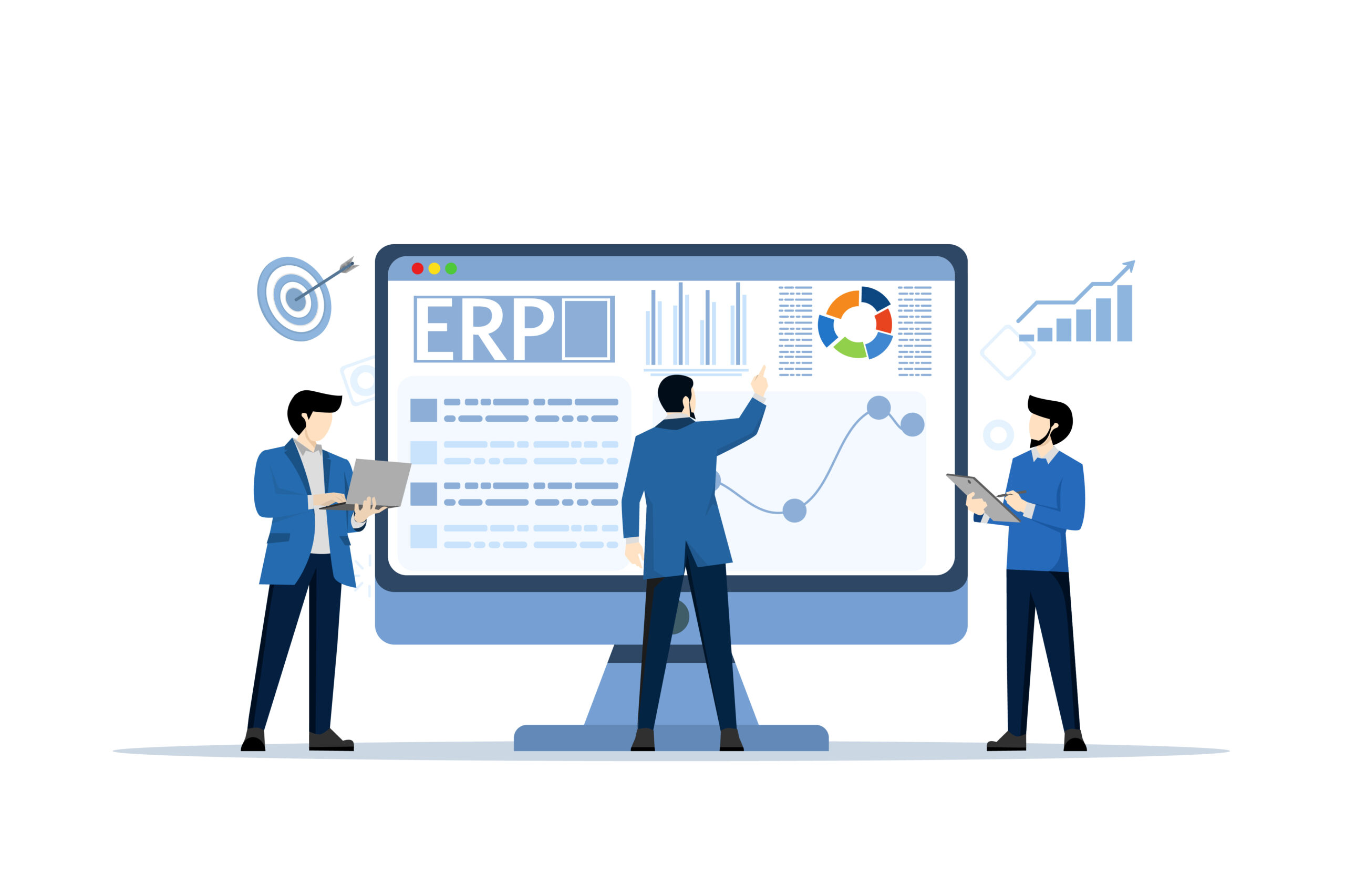
Let us look at the systems most often shortlisted by small manufacturers. This is a quick ERP software comparison for small and medium manufacturers to help you see where each one fits.
Odoo
A modular open source platform. You can start small and add modules as you grow. One of the best open source ERP for small manufacturing companies because of its flexibility and lower cost.
- Strengths. Affordable, modular, easy to customize, large community
- Weaknesses. Some advanced manufacturing features require third party apps
- Best for. Small to mid sized manufacturers who want flexibility
SAP Business One
A smaller version of SAP’s enterprise software, built for SMEs. Well known, well supported, but more expensive.
- aria-level=”1″>Strengths. Strong reporting, mature platform, global support
- Weaknesses. Cost, complexity, longer implementation times
- Best for. Manufacturers planning to scale significantly
Microsoft Dynamics 365 Business Central
A cloud platform with strong financial tools and decent manufacturing modules. Integrates naturally with Office and Excel.
- Strengths. Familiar interface for Microsoft users, strong financials
- Weaknesses. Manufacturing depth depends on which add-ons you buy
- Best for. Manufacturers already in the Microsoft ecosystem
NetSuite
Oracle’s cloud ERP. Powerful, scalable, and global. Tends to be on the higher end of pricing.
- Strengths. Full feature set, mature platform, scales well
- Weaknesses. Expensive, can feel heavy for very small factories
- Best for. Faster growing small manufacturers
Acumatica
A modern cloud ERP with a fair pricing model based on consumption rather than per user.
- Strengths. Flexible pricing, good manufacturing modules, modern interface
- Weaknesses. Smaller community than SAP or Microsoft
- Best for. Growing manufacturers who want predictable costs
Tally Prime with Add-ons
In Pakistan and India, many small factories start with Tally for accounting and add manufacturing modules later. Not a full ERP, but a familiar starting point.
Strengths. Low cost, widely known
Weaknesses. Limited manufacturing capability without third party tools
Best for. Very small factories not ready for a full ERP
Local custom solutions
Some small manufacturers in our region build custom ERP solutions tailored exactly to how they work. This costs more upfront but can be the perfect fit if your processes are unusual.
SAP vs Odoo for small manufacturing business
<span style=”font-weight: 400;”>This is the most common head to head question we get asked. So let us break it down properly.
When considering SAP vs Odoo for small manufacturing business needs, the trade off is usually this:
SAP is more mature, more standardized, and more expensive. It is built for businesses that want a tried and tested global platform and have the budget to support it.
Odoo is more flexible, more affordable, and easier to customize. It works well for businesses that want to mold the software around their process rather than the other way around.
For most small factories under thirty staff, Odoo is the more practical starting point. Once you cross a certain scale and complexity, SAP starts to make more sense. The SAP vs Odoo for small manufacturing business question almost always ends with budget and customization needs as the deciding factors.
ERP software pricing: what to actually expect
ERP software pricing is the most confusing part of the buying journey. Vendors love to keep numbers vague. Here is what to genuinely expect.
The cost of ERP software for small manufacturing companies usually breaks down into:
- Software licenses or subscriptions. Either monthly per user, or annual flat fees.
- Implementation costs. Setup, data migration, configuration, and training.</li>
- “font-weight: 400;”>Customization costs. Anything custom to your business processes.
- Hardware costs. Servers, scanners, tablets, printers.
- Ongoing support. Monthly or annual maintenance.
For a small manufacturer, realistic ranges look like this:
- Entry level cloud ERP. Twenty to fifty dollars per user per month, plus implementation costs of a few thousand dollars.
- Mid range platforms like SAP Business One. Total project costs from twenty thousand to one hundred thousand dollars depending on size.
- Enterprise platforms like NetSuite. Often starts at fifty thousand and goes well up from there.
Affordable ERP software for small manufacturers does exist. The trick is being clear about what you actually need, not what a salesperson tells you that you need. An affordable ERP can deliver eighty percent of the value of an expensive one if it is set up properly.
ERP implementation guide for small manufacturing businesses
This is where many ERP projects fail. Not because the software is bad, but because the implementation is rushed or skipped. Here is a practical ERP implementation guide for small manufacturing businesses.
Step one: map your current process
Before touching any software, write down how your business actually works today. Every step from order to delivery. Find the broken parts. These are what your ERP needs to fix.
Step two: pick a small project team
<span style=”font-weight: 400;”>You need a project lead, a technical contact, and at least one person from each major function. Sales, production, inventory, and accounting. Without representation from each, the system will not fit reality.
Step three: clean your data first
Bad data going in means bad data coming out. Take time to clean up your product list, customer list, and supplier list before migration. Remove duplicates. Standardize names. This step alone can take weeks but it is worth it.
Step four: roll out in phases
<span style=”font-weight: 400;”>Do not try to launch every module on day one. Start with the modules that solve your biggest pain. Inventory and production are usually the priorities. Add accounting, HR, and CRM later.
Step five: train properly
Your team will resist if they do not understand the tool. Allocate real time for training. Make videos. Build cheat sheets. Repeat the training a few weeks after launch.
Step six: monitor and adjust
After launch, watch closely for the first three months. Listen to user feedback. Adjust workflows. Improve reports. ERP projects are not done at launch. They evolve over time.
How to streamline manufacturing operations with ERP software
Once your ERP is live, the real benefits start showing up over time. Here is how to streamline manufacturing operations with ERP software in practice.
- Automate repetitive tasks. If your team is copying data from one system to another, that is a sign the ERP needs another integration.
- Use dashboards daily. Walk through the floor with the dashboard on a tablet. Compare what the system says to what you see.
- Set up alerts. Low stock, late deliveries, overdue payments, all should ping the right person automatically.
- Review reports weekly. Production output, scrap rate, on time delivery. These three metrics tell you almost everything.
Train new staff on the system from day one. Do not let anyone work outside of it.
The factories that get the most value from their ERP tools are not the ones with the most expensive software. They are the ones that use what they have consistently and refuse to fall back into spreadsheets.
Red flags when buying an ERP
When evaluating vendors, watch for these warning signs.
- They quote you a final price without asking detailed questions about your business
- e=”font-weight: 400;” aria-level=”1″>tyle=”font-weight: 400;”>They promise implementation in two weeks for a complex factory
- They will not show you a live demo using your own products
- They have no references in your industry
- They ask for the full payment upfront with no milestones
- Their contract has no exit clause or data export rights
- They cannot explain their pricing breakdown clearly
If you see two or more of these signs, walk away. There are plenty of credible vendors who do not behave this way.
What separates good ERP solutions from great ones
After watching dozens of factories go through ERP projects, a few things stand out.
Great ERP solutions for small manufacturers share these qualities:
- They feel light to use despite being powerful underneath
- They reflect how the factory actually works, not a textbook process
- They give the owner clear daily numbers without asking
- e=”font-weight: 400;” aria-level=”1″>They reduce paperwork rather than creating new forms
- evel=”1″>They keep working as the business grows
If a system makes your life simpler within ninety days of go live, it is a good fit. If your team is still complaining six months in, something went wrong in the choice or the implementation.
How Prismatic Technologies Can Help
Choosing and implementing an ERP is one of the biggest decisions a small manufacturer will make. Get it right and the business runs smoother for years. Get it wrong and you spend money fixing problems for just as long. This is exactly the kind of work where most owners get stuck, and exactly where Prismatic Technologies comes in.
What we do for manufacturers
We work specifically with small and growing manufacturing businesses to plan, build, and roll out ERP systems that fit how the factory actually runs. Our team combines accountants, engineers, and business consultants. So when we suggest an ERP, we are thinking about your cash flow, your tax position, your inventory turnover, and your shop floor all together.
Our services include:
- Free initial consultation to understand your factory and your pain points
- ERP selection support to help you choose between options like Odoo, SAP, Microsoft, or a custom build
- Implementation services from data migration to module configuration
- Custom ERP development when off the shelf software does not fit your processes
- Integration work to connect ERP with your accounting, ecommerce, or marketing tools
- Training and change management so your team actually uses the system
- Ongoing support as your factory grows and your needs change
Why manufacturers choose us
- We give written scopes with clear deliverables
- <span style=”font-weight: 400;”>We are honest when an ERP is not the right answer yet
- We do not push you toward the most expensive product
- We support you long after the launch is over
- We bring deep accountancy and business consultancy expertise alongside the technical work
Whether you have ten staff or two hundred, we help you skip the expensive trial and error and get to a system that actually pays for itself.
If you are serious about upgrading your manufacturing operations, reach out for a no obligation conversation. You will walk away with a clear plan whether you work with us or not.
FAQs
What is the best ERP system for a small manufacturer?
There is no single best answer. For most small manufacturers under thirty staff, Odoo offers the best balance of cost, features, and flexibility. SAP Business One and Microsoft Dynamics are better for those planning to scale quickly. The best ERP system for you depends on your size, industry, and budget.
How much does ERP software cost for a small manufacturing company?
The cost of ERP software for small manufacturing companies usually ranges from a few thousand dollars for entry level cloud platforms to over fifty thousand for enterprise systems. Most small factories spend between ten and forty thousand dollars on a full implementation.
How long does ERP implementation take?
A simple ERP rollout takes three to six months. Larger or more complex projects can take nine months to a year. Anyone promising you a full ERP live in two weeks is being unrealistic.
Should I go for cloud ERP or on premise?
Cloud ERP software is the default choice for small manufacturers today. It costs less upfront, updates automatically, and works from anywhere. On premise still makes sense for factories with very strict data control requirements.
Can ERP really save money?
Yes, if it is implemented properly. Most small manufacturers see returns within twelve to eighteen months through reduced inventory waste, fewer late orders, lower admin time, and better pricing accuracy.
Do I need to replace my accounting software?
Most modern ERP solutions include accounting built in. So usually yes, the ERP replaces your old accounting tool. Some businesses prefer to keep their existing accounting and connect it via integration. Both approaches work.
Can a small factory really use the same ERP as a large one?
Sometimes. Many ERP platforms now scale from small to large businesses. The key is to start with only the modules you need and expand as you grow. Buying a full enterprise suite on day one usually causes more problems than it solves.
What if my team resists the new system?
Resistance is normal. The solution is training, communication, and visible early wins. Start with a pilot in one department. Show the benefits. Then expand. Forcing it on everyone at once almost always backfires.
Will an ERP help with quality control?
Yes. Most manufacturing ERP platforms include quality control modules to track inspections, defects, and corrective actions. This is one of the biggest hidden benefits of ERP for production environments.
Can I integrate my ERP with my ecommerce store?
Yes. Modern ERP solutions integrate easily with platforms like Shopify, WooCommerce, and Magento. Orders, inventory, and customer data flow automatically between the systems.